How to deploy a WordPress Site in Azure
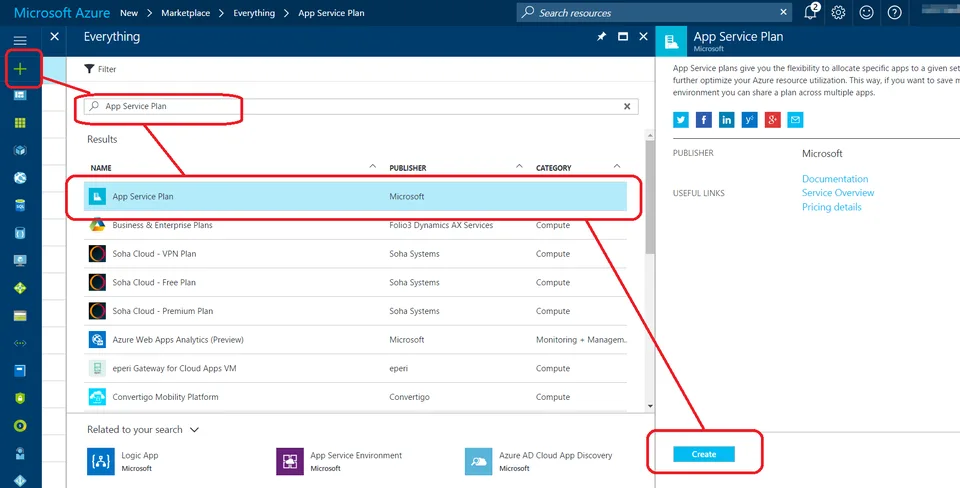
1) Create App Service Plan
From Azure Portal,
Click New
Search for App Service Plan
Click App Service Plan in Results
Click Create

Provide the required information such as Subscription, Resource Group etc.

2) Create MySQL Database
From Azure Portal,
Click New
Search for MySQL
Click MySQL Database in Results
Click Create

Provide the required information such as Subscription, Resource Group etc.

Review EULA and opt-in to provider offers if you like to

3) Create WordPress Site
From Azure Portal,
Click New
Search for WordPress
Click WordPress in Results
Click Create

Provide the required information such as Subscription, Resource Group etc.
Select the App Service Plan and Database created in step 1 and 2

4) Configure WordPress Site
Browse to WordPress site and configure as you would any new WordPress installation

No comments yet
Comments are moderated and appear once approved.