Strategy to centrally manage Local Administrators group from Active Directory
- OU for AD Local Admin groups
- DNs of the target computer OUs
- Computer to schedule the tool on
IntroductionLink to this section
Active Directory does provide mechanisms such as Group Policy Preferences, Restricted Groups etc. which can manage groups centrally. The issue is that local Administrators groups can differ vastly from computer to computer and because of this it is difficult to standardize settings within a policy. This leads to over permissions because these individual permissions are painful to define and a higher privileged than required is usually assigned.
To make it worse, in a mature environment you first need visibility on current members and chances are that you would need to rely on other parties to rectify or change these because of the initial requirements.
In this article, I explain my approach to centrally manage Local Administrators group from Active Directory using a custom developed application.
DefinitionsLink to this section
Local Administrators group | The local built-in Administrators group found on each computer. |
AD Local Admin group | An Active Directory group for each computer that is added to the Local Administrators group of the computer. Its purpose is to hold all the members intended to have Administrative permission to a particular computer. |
Local Administrator Permission | Referring to the actual permissions given to Administrators. |
Process FlowLink to this section
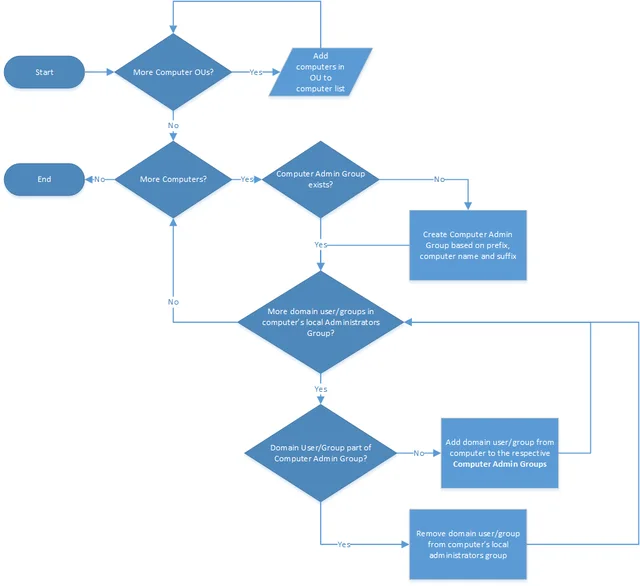
Computer OU Loop
Application enumerates computers in the computer OUs specified and adds them to a collection.
Computer Loop
Creates a computer AD Local Admin group for each computer if it doesn't already exist.
Local Admin Member Loop
Add members of Local Administrators group to AD Local Admin group. If the member is already part of the AD Local Admin group, remove it from computer's Local Administrators group. It is important to note that these two actions will not occur within same execution to allow Kerberos tokens to update.

BenefitsLink to this section
- Rebuilding computers with the same computer name will restore all administrators.
- Enable auditing of users with local Administrators permissions without directly querying computer.
- AD Local Admin group members can be queried directly from Active Directory without connecting to remote computers.
- Enforce a stronger password policy for the user accounts with Administrator permission to certain computers.
- Add required AD Local Admin group to a group defined in a fine-grained password policy
- Remove dormant/orphaned entries.
- Central management of local administrator permissions.
- Simply add users or groups (preferably role groups) to the AD Local Admin group to give local Administrator permissions on computers.
- Any new members will automatically be removed from Local Administrators group and added to the AD LocalAdmins group
- After implementation, local administrator permission can be enforced via AD.

ImplementationLink to this section
1) Download and extract AdminGroups.zip (here is VirusTotal scan) to a folder of your choice on the computer on which it will be scheduled to run.
2) Create a location in Active Directory to create AD Local Admin groups in and record the distinguished name (DN).

3) Record all the Computer OU's distinguished name (DN) for the computers that AD Local Admin groups need to be created for. These can be workstations or servers but generally this in only done for servers.


4) Run Configurator.exe (Configurator Editor).
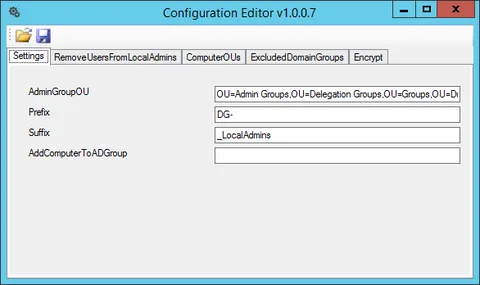
All configuration is stored within the AdminGroups.ConsoleApp.exe.config file and can be either edited directly or with my Configuration Editor tool.
a) On the Settings tab, enter the Admin Group OU's distinguished name (DN), recorded in Step 2.
b) Enter the prefix that should be used when creating AD Local Admin Group.
c) Enter the suffix that should be used when creating AD Local Admin Group.
d) Optionally add a Group Name to add the computer account to on execution.
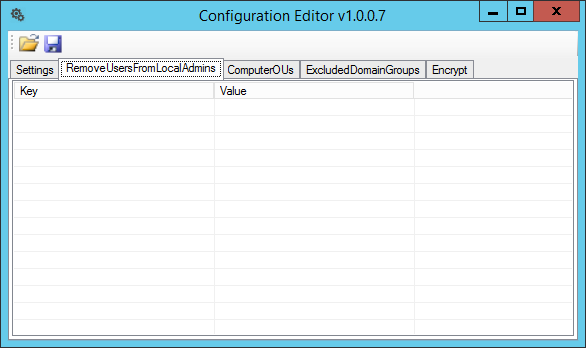
e) On the RemoveUsersFromLocalAdmins tab, enter usernames of local accounts that you want to automatically remove from the Local Administrators group.
No comments yet
Comments are moderated and appear once approved.