Free/Open-Source Self-Service Password Reset tool for Active Directory
- AD service account with password reset rights
- Visual Studio
- Microsoft SQL Server
- SQL user with DB owner rights
Pre-requisites: The following assumptions have been made in this tutorial. Readers should have a basic working knowledge of Microsoft Active Directory, SQL Server and Visual Studio software.
Step 1: Create ACTIVE DIRECTORY SERVICE ACCOUNTLink to this section
Create an Active directory service account with password reset rights.
Details for this process and a custom Delegwiz.inf can be found in my previous article here
Step 2: Download Visual Studio ProjectLink to this section
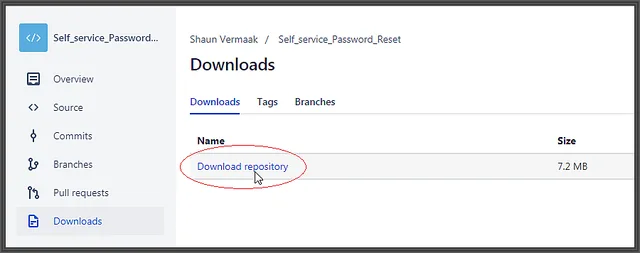
1) Download the provided source zip file by clicking this link

2) Extract and open the project in Visual Studio
Step 3: Create databaseLink to this section
Note: The basic steps for creating the database are listed below.
1) From the Open Project in Visual Studio, open ModelSSPR.edmx
2) Right-click on white-space on the diagram page
3) Then select Generate Database from Model

4) Save the SQL script and use it on Microsoft SQL Server to build the database schema

5) Create an MS SQL user and grant it DB owner rights
Step 4: Modify config fileLink to this section
1) From the open project in Visual Studio
2) Replace the ADConnectionString connection string with the Active Directory LDAP string
3) Replace the SSPREntities connection string with the connection string of the database


4) Configure ADMembershipProvider to the account created in Step 1

5) Replace the appSettings values with the correct information
Step 5: Publish SiteLink to this section
1) From the open project in Visual Studio
2) Publish site with the Visual Studio Publishing wizard
Step 6: Testing SiteLink to this section
Registering password hints
1) Browse to site published in Step 5
2) Click on Log in

3) Specify the Username and Password for the account to register for self-service password reset.

4) Create password hints by adding questions and answers
Self-Service Password Reset Request
1) Browse to the site published in Step 5
2) Click on Reset Password

3) Enter the Username for the account to reset the password for

4) Enter answers to the security questions and provide new password
5) Click Reset Password

6) If the password was successfully reset, the following screen will display

I hope you found this tutorial useful. You are encouraged to ask questions, report any bugs or make any other comments about it below.
Self-Service Password Reset (SSPR) version history
- Rebuilt on ASP.NET Core 8, source moved to GitHub
- SQLite for development, SQL Server optional for production
- Adds LDAPS, optional hCaptcha, rate limiting, per-user lockout and audit logging
- Initial release: ASP.NET project on Bitbucket with SQL Server database
- Users register security question hints and reset their own passwords
No comments yet
Comments are moderated and appear once approved.