Window Tiler
- Visual Studio 2017 (only to build from source)
IntroductionLink to this section
I created Window Tiler out of the need to monitor multiple running applications.
For example, if I have to run a process that starts a bunch of processes, I can see each window as it is running because Window Tiler constantly retiles as application windows open and closes.
Demo ExecutionLink to this section
The C# CodeLink to this section
using System;
using System.Collections.Generic;
using System.ComponentModel;
using System.Data;
using System.Drawing;
using System.Linq;
using System.Text;
using System.Threading.Tasks;
using System.Windows.Forms;

namespace Tiler
{
public partial class frmMain : Form
{
public frmMain()
{
InitializeComponent();
}

private void tmrTiler_Tick(object sender, EventArgs e)
{
try
{
Shell32.Shell shell = new Shell32.Shell();
if (this.chkTileWindowsHorizontally.Checked)
{
shell.TileHorizontally();
}
else if (this.chkTileWindowsVertically.Checked)
{
shell.TileVertically();
}
}
catch
{

}
}

private void butStart_Click(object sender, EventArgs e)
{
tmrTiler.Interval = (int)(numTimer.Value * 1000);
tmrTiler.Enabled = true;
}

private void butStop_Click(object sender, EventArgs e)
{
tmrTiler.Enabled = false;
}

}
}
Building the application from Code (Visual Studio 2017)Link to this section
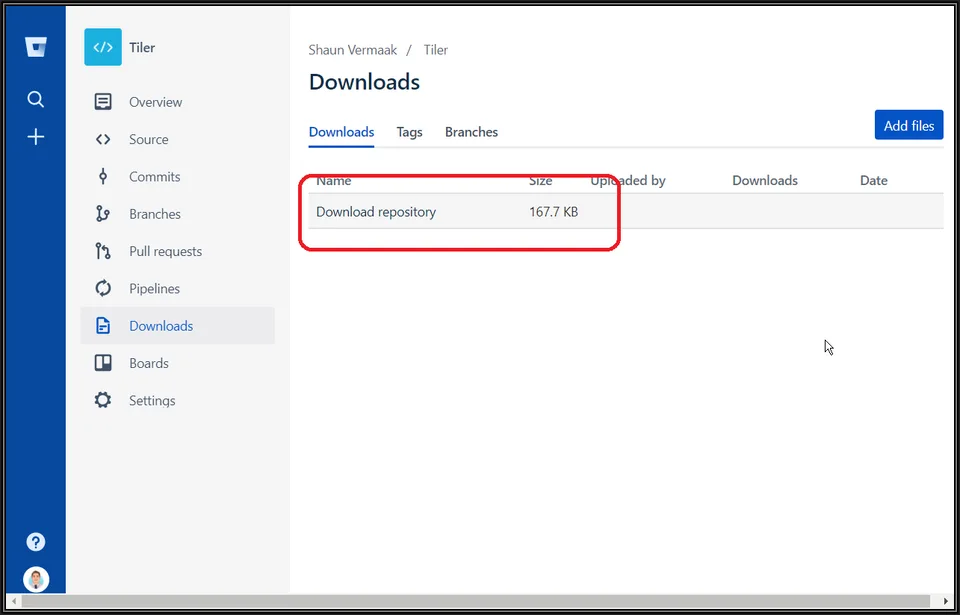
1) Download the Visual Studio 2017 project from https://bitbucket.org/svermaak/tiler/downloads/

2) Using your favourite compression tool extract the downloaded ZIP file to a convenient location

3) Open the solution file (Tiler.sln) in Visual Studio 2017 and build project

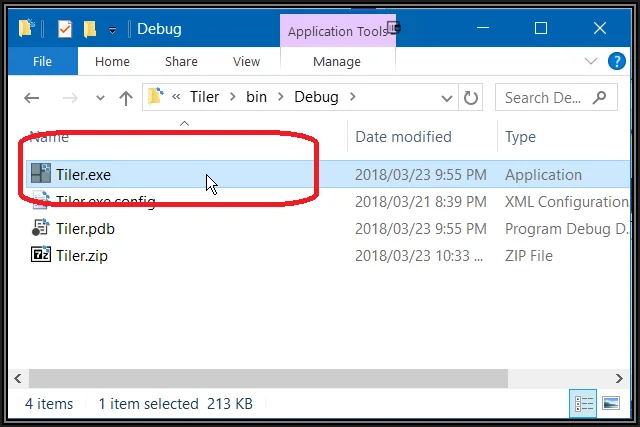
4) You can find the compiled EXE from the BIN folder of the project folder
Download The EXELink to this section
If you do not have Visual Studio 2017 or just want the EXE, you can download it from https://github.com/svermaak/downloads/raw/main/Tiler.zip
Tiler / Window Tiler version history
- Republished as Window Tiler, constantly retiling as windows open and close
- Option to tile horizontally or vertically
- C# source published as a Visual Studio 2017 project
- Initial release: tiles windows on specified intervals
No comments yet
Comments are moderated and appear once approved.