Active Directory – Simple Tier Isolation
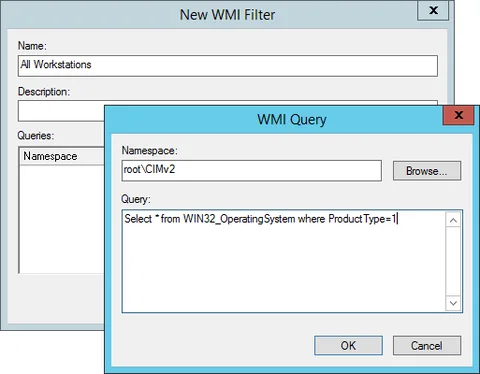
1) WMI Filters
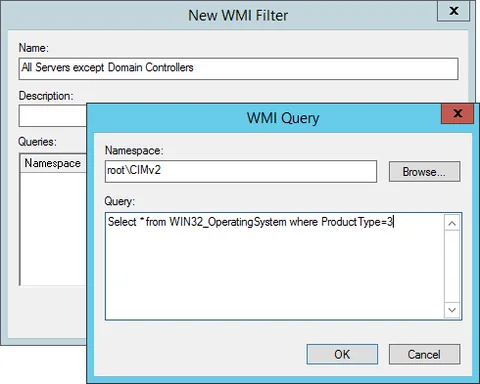
Create WMI filter that will identify devices for each tier. In the article three tiers are used, domain controllers, servers and workstations. This provides a balance between security and simplification but this can easily be extended to other devices or server types.
2) Groups
Create a group for each tier. This will hold the members for each tier.

3) Group Policies
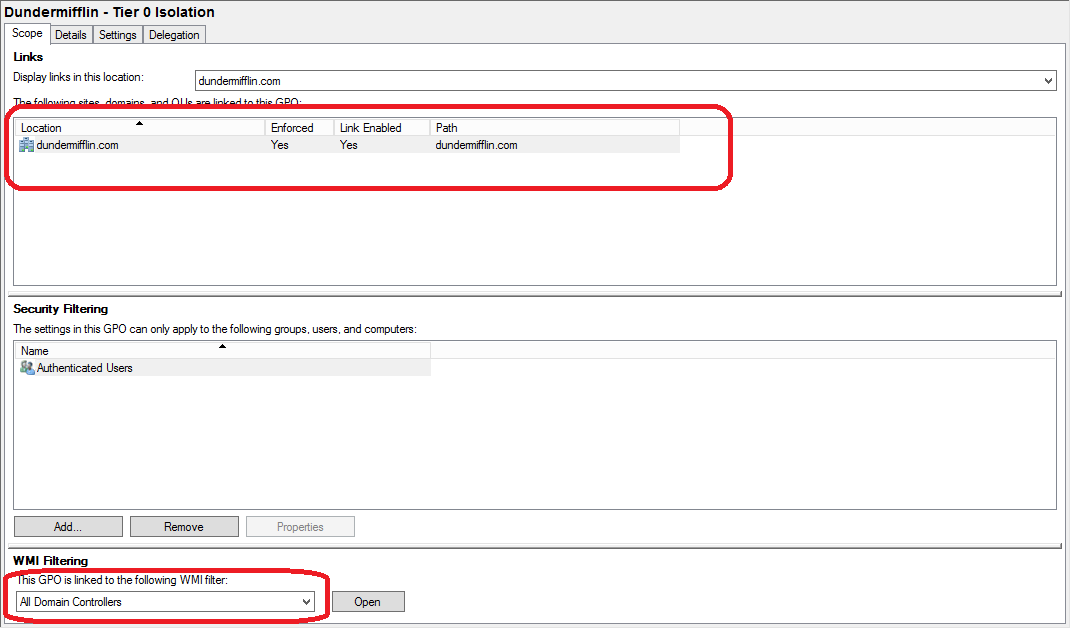
Create a group policy for each tier. It should filter based on the tier type and will contain the allow/deny rules.


4) Add members to tier groups
Finally, add your dedicated DA accounts to tier 0 group, dedicated server administrators accounts to tier 1 group. Accounts will now only be able to log in locally or via RDP if they are meant for the specific tier
No comments yet
Comments are moderated and appear once approved.